Ancient laptop given new life as mobile prototyping platform

What can you do with a broken Compaq SLT 286? Its briefcase-like size and shape actually make for a pretty interesting portable electronic prototyping station. [Philip] gutted the components and started adding back the items he most commonly uses when developing a project.

He shares all of the details in the video after the break. At center stage is a double breadboard where the keyboard would normally be found. It’s hard to make out in the image above, but there is a set of terminal strips running vertically to either side of these breadboards. Each terminal is connected to a peripheral or power/ground bus. The black knob to the left lets him adjust the output of a variable voltage regulator. To the lower right there’s a rotary encoder, push button, toggle switch, and a couple of potentiometers. These, along with the keypad and character display (mounted where the screen used to be) and DB connectors (on the back of the case) have their pins mapped to the terminal block to the right. [Philip] has mounted an Arduino Uno over the area to the bottom left, but we’re sure that it’s pretty easy to swap out for just about any breakout board he needs.

To answer [Philip’s] running dialog from the video: no, it is not the worst demo ever. We think you did a great job demonstrating all the features. Loose connections are par for the course when it comes to prototypes.
[Read more…]

Robot jellyfish fueled by hydrogen from the water around it

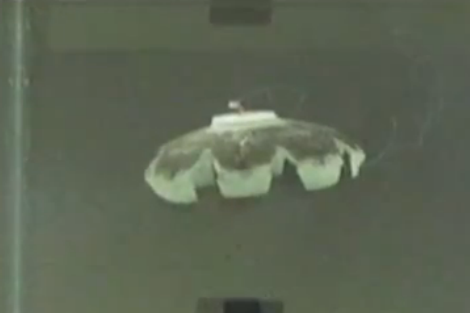
RoboJelly is certainly not what we’re used to seeing when it comes to robots. Instead of a cold metallic skeleton, this softie is modeled after jellyfish which have no bones. But that’s not the only thing that’s unusual about it. This robot also doesn’t carry its own power source. It gets the energy needed for locomotion from the water around it.

Artificial muscles are what give this the movement seen in the clip after the break. These muscles react to heat, and that heat is produced through a chemical reaction. The construction method starts with the muscle material, which is then covered in carbon nanotubes, and finally coated with black platinum dust. Sounds a bit like witchcraft, huh (Eye of newt, dragon heart string, etc.)? We certainly don’t have the chemistry background to understand how this all works. But we are impressed. So far it doesn’t have the ability to change direction, the flexing of all of the muscle material happens at the same time. But the next step in their research will be finding a way to route the “fuel” to give it some direction.

Edit – Looks like it is fueled externally. The actual study is here, but you need to log in to download it.

This brings another jellyfish-inspired robot to mind. Check out FESTO’s offering which flies through the air with the greatest of ease.

[Read more…]

Heads-up display mounts on brim of your cap

[Matt Kwan] says that coming up with a personal heads-up display wasn’t that hard. Well that’s because he made design choices that make all the difference.

The goal here was to add some augmented reality to his field of vision. He went with a baseball cap because it’s a pretty easy way to strap something to your head. You can’t see it from this angle, but the setup requires you to cut a rather large hole in brim. The image from a smartphone (HTC Desire Z in this case) which is situated with the screen pointing toward [Matt’s] forehead. The screen reflects off of a small mirror, guiding the image down through a Fresnel lens mounted in the hole of the brim. The image is reflected a second time by the plastic in front of his eyes which is coated with a slightly mirrored material. Since the image is reflected twice it appears right-side up, and the use of the Fresnel lens places the image out about 20 cm in front of his view. He tried to get some images of the effect, but we think you’ve got to see it in person before passing judgement.

This does away with the need to track head movement (there’s a few hacks for that out there though). Augmented reality software is used to turn the view from the smartphone camera into overlay data for the display.

[Thanks Tom]

Aquarium water exchanger built from Keurig parts

We keep seeing commercials for those Keurig coffee makers that use a plastic pod of grounds to brew just one cup of coffee. We’re pretty sure this is a fad, and absolutely sure that the extra packaging created by brewing with this method is a waste. But to each his own. [Danman1453] has two of the devices. One he bought, the other is a warranty replacement. He decided to scrap the malfunctioning unit and see if he could put it to good use. What he ended up with is the aquarium pumping system you see above.

It is conceived as tidier way to swap out the water in the fish tank. He had been using tubing to siphon the water, but found he almost always made a mess. This system uses an air pump to prime the water pump by pressurizing the tank which forces water into the lines. Once the water pump is primed he switches over to that for the rest of the work. He used an old metal tool box as an enclosure, using the cover to mount the push-buttons which route power to various components when pressed. Many of the parts were transplants from the coffee maker, but even if you sourced all of the components new this wouldn’t cost too much to put together.

Dead HDD smartphone stand still holds secret data

We’ve actually got a few dead hard drives collecting dust so when we hear about a project that finds a use for one we perk up a bit. But we were somewhat disappointed when we discovered this was a smartphone stand, pen holder, and LED lamp in one. We just don’t have a use for this kind of triple-tasker. But wait… the dead drive has a secret. It still serves as data storage, if you know how to enabling the drive within.

As you can seen, [Samimiy] removed all the guts of the HDD, repurposing the platters and mounting brackets as the phone holder, and mounting plate for a couple handfuls of LEDs. The lamp portion can be adjusted thanks to the articulated based from a small desk lamp he had in his parts bin. The device receives power from the USB connector you can see in the upper right. That’s where the first part of the secret comes in. This isn’t just supplying power, it provides a USB connection to the thumb drive hidden inside the HDD case. But just connecting it to your computer won’t mount it. [Samimy] took the light sensor from an automatic nightlight and set it up below the pen holder. If you shine a flashlight down the hole in that piece of wood it will routed power to the secret USB drive causing it to enumerate on your system. Pretty clever! Take a look at his build video after the break.

We wonder if there’s a way to incorporate this light-based lock system into that mouse-mounted thumb drive.

[Read more…]

Robotic assist helps paraplegic stand and move around

Seeing this device help a man get up out of his wheelchair makes us wonder why this hasn’t been around for ages. The design principles behind the Tek RMD greatly benefit those without use of their legs. But it’s not just to help him stand, it also serves as motorized transport that makes bulky electric wheelchairs look so last century.

Instead of having the support structure beneath the rider, the RMD (Robotic Mobilization Device) uses a sling-like method to hang from the hinged arm. A folding handlebar can be raised up, allowing the rider to move from sitting to standing with a bit of help from the machine. Whether upright or sitting, the device can travel using its electric motors. In fact, this tip was sent in because it looks very much like riding a Segway.

The video demonstration after the break really hits home the functionality provided. This is an instant quality of life improvement, breaking down some of the barriers of moving around in confined quarters with a motorized wheelchair. There is also a lot to be said for having the option to stand. The demo shows several circumstances like shopping at the market, going through the checkout, and grilling out. What an amazing use of technology.

[Read more…]